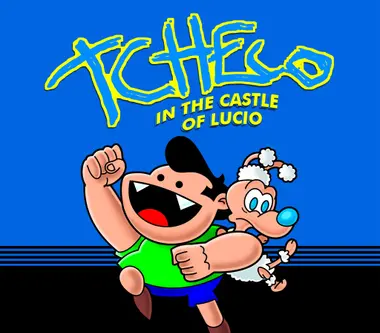
 Tcheco in the Castle of Lucio cover
About the game
Tcheco in the Castle of Lucio is an exciting, fast-paced action game. Help Tcheco the Adventure Boy to leave a mysterious castle full of deadly creatures! Be ready for a big challenge, full of nonsense humor and retro goodness.
Features
2D platform game, perfect for classic Famicom/NES game fans! Graphics and sounds inspired by 8-bit aesthetics Compatible with Xbox 360 gamepad and keyboard 65 rooms of progressive difficulty Easy to learn, simple gameplay
- Developer
- Marcelo Barbosa
- Publisher
- Marcelo Barbosa
- Release date
- 2015-06-22
How to activate your key
- Go to: http://store.steampowered.com/ and download STEAM client
- Click "Install Steam" (from the upper right corner)
- Install and start application, login with your Account name and Password (create one if you don't have).
- Please follow these instructions to activate a new retail purchase on Steam: Launch Steam and log into your Steam account.
- Click the Games Menu.
- Choose Activate a Product on Steam...
- Follow the onscreen instructions to complete the process.
- After successful code verification go to the "MY GAMES" tab and start downloading.



