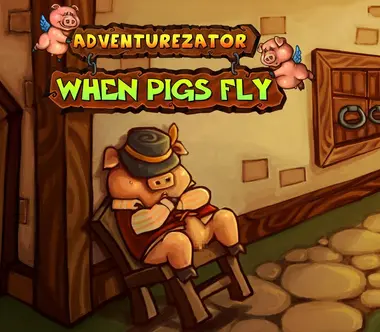
 Adventurezator: When Pigs Fly cover
About the game
The Adventurezator is an emergent adventure game about creating emergent adventure games! With easy to use tools, you'll be able to create adventures with no technical knowledge required. Create actors, cutscenes, levels and campaigns.
Use the workshop to share your creations, and play the adventures created by the community.
Read full description
Features
- An Adventure Sandbox. create and play your own adventures with no scripting or technical knowledge required; Workshop support: share your creations, and easily play the best adventures the community has to offer; Free-form Object Interaction: objects dynamically interact with each other – no need to manually make a cup and a water fountain find what they can accomplish together; Actor editor: create, save and share your own characters; Cutscene Editor: show the world your movie-directing abilities have been drastically underrated until now; Level Editor: easily drag, drop and rotate components to create your own levels; Campaign Editor: string your chapters together and create a world-spanning saga; Full-fledged campaign and stand-alone extra levels: for your enjoyment and to inspire greater creations!
- More post-launch content. we will continue supporting Adventurezator with official and community-driven updates; Pointy. Clicky. Pigs. Naked, Baby, Flying, Godly Pigs.
System requirements
- OS
- Windows XP / Vista / 7 / 8
- Processor
- 1.7 GHz Dual Core
- Memory
- 4 GB RAM
- Graphics
- NVIDIA GeForce GTX 260, ATI Radeon 4870 HD, Intel HD 3000, or equivalent card with at least 512 MB VRAM
- DirectX
- Version 9.0
- Hard Drive
- 1 GB available space
- Sound Card
- DirectX Compatible Sound Card
- Developer
- Degica
- Publisher
- Pigasus Games
- Release date
- 2015-09-17
How to activate your key
- Go to: http://store.steampowered.com/ and download STEAM client
- Click "Install Steam" (from the upper right corner)
- Install and start application, login with your Account name and Password (create one if you don't have).
- Please follow these instructions to activate a new retail purchase on Steam: Launch Steam and log into your Steam account.
- Click the Games Menu.
- Choose Activate a Product on Steam...
- Follow the onscreen instructions to complete the process.
- After successful code verification go to the "MY GAMES" tab and start downloading.